Too Many Recordings and Messy Transcripts? Build a Traceable Workflow
When processing multiple meetings or interviews, organize filenames, group similar settings, review each transcript, and keep every result linked to its source.
Too Many Recordings and Messy Transcripts? Build a Traceable Workflow
After a week of interviews, meetings, or classes, the hard part often is not starting transcription. A few days later, you may not remember which file belongs to which session, which transcript matches which recording, or which results still need review. Uploading everything at once does not always save time; if the files use different languages, terminology, or processing methods, they can be harder to check afterward.
Break the process into four parts: organize sources, group similar files, review results, and prepare deliverables. This reduces mix-ups and repeated work.
Give each recording a recognizable name
Use a consistent filename that identifies the date, project, or session. For example:
- 2026-09-18_product-interview_participant-A
- 2026-09-18_team-weekly-meeting_part-2
- 2026-09-19_course-recording_chapter-3
Avoid names such as “New Recording 1” or “final-final” that do not identify the source. If one session has multiple recordings, keep the project name consistent and add a sequence number. You can then review them in order without guessing which clip came next.
Also note the language, intended use, whether speakers need to be distinguished, and whether the files will be processed locally or in the cloud. For client, research, or internal discussions, confirm that you are allowed to process the material and review the data path used by the recognition service.
Group similar sources into the same batch
Batch processing can reduce repeated setup when files use the same language and model. If a group includes an English presentation, a Taiwanese Mandarin interview, and a bilingual discussion, split them into separate batches so one language or model setting is not accidentally applied to different material.
Scribis's batch transcription page can add multiple audio or video files and show each item's status. After adding files, check the filenames and count before starting.
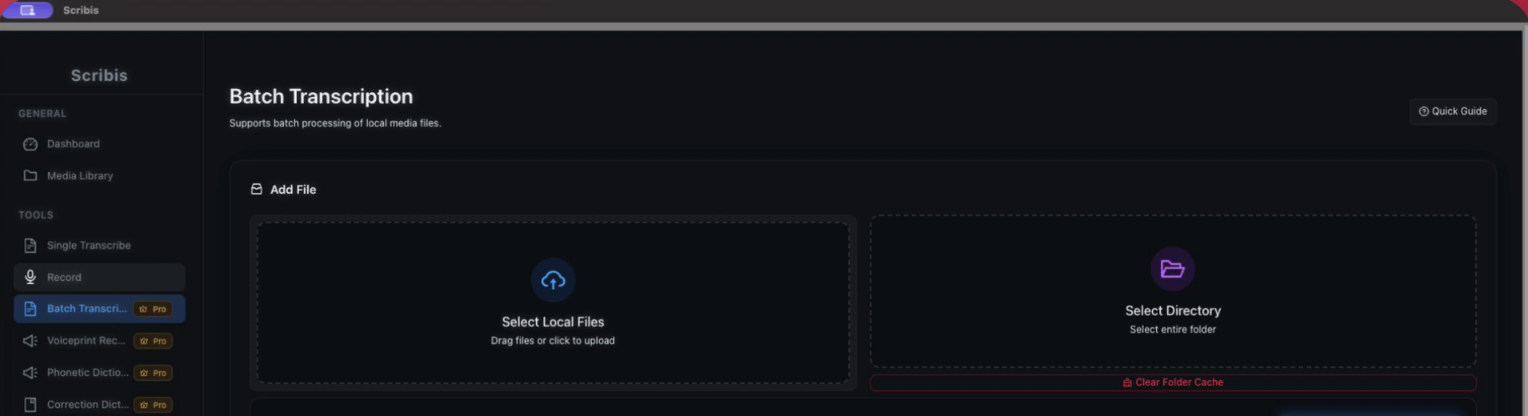
For step-by-step instructions, see the Scribis batch transcription guide.
Review files as they finish
Compare transcripts with the original audio, especially for names, company names, dates, amounts, negations, and mixed-language terms. For recordings with multiple speakers, check where speakers change; diarization labels do not establish anyone's real identity, so someone familiar with the content should verify them.
As each file finishes, listen to a few sections: the beginning, transitions, overlapping conversation, the end, and places where you expect specialized terms. If a file has not finished, check its processing status and whether the audio plays, then handle that file on its own. You do not need to resubmit the whole batch.
Organize exports for their intended use
For transcripts used in internal search, keep clear filenames and speaker labels. For video subtitles, check timestamps and subtitle formatting. Reopen each exported file and spot-check the beginning, middle, and end for missing text, encoding issues, or gaps in timing.
You do not need a separate spreadsheet for every recording. A filename with the date and session, plus “Needs review” and “Complete” folders in the project directory, is usually enough to track progress. If several people are handing off a large volume of files, record the owner and delivery location in your team's existing project tool.
Try one short recording before processing a large batch
Before processing many files, choose a short recording that plays normally and confirm the import, language, and model settings. Then apply those settings to similar material. If the result does not suit your needs, adjust the language or model before processing the whole batch.
The goal is to find the source quickly, review the transcript, and know what has been delivered. With consistent filenames and a review order, you can reuse the same process for the next batch.