How Gemini API Fills the Gap for YouTube Videos Without Subtitles: Scribis Timedtext, Translation, and Multilingual Local TTS Workflow
Scribis does not download YouTube videos, audio, or subtitles; instead, it plays videos via iframe and passively captures available timedtext. If no subtitles are present, Scribis uses the Gemini API to generate subtitle drafts, translates them, and outputs multilingual speech via local TTS.
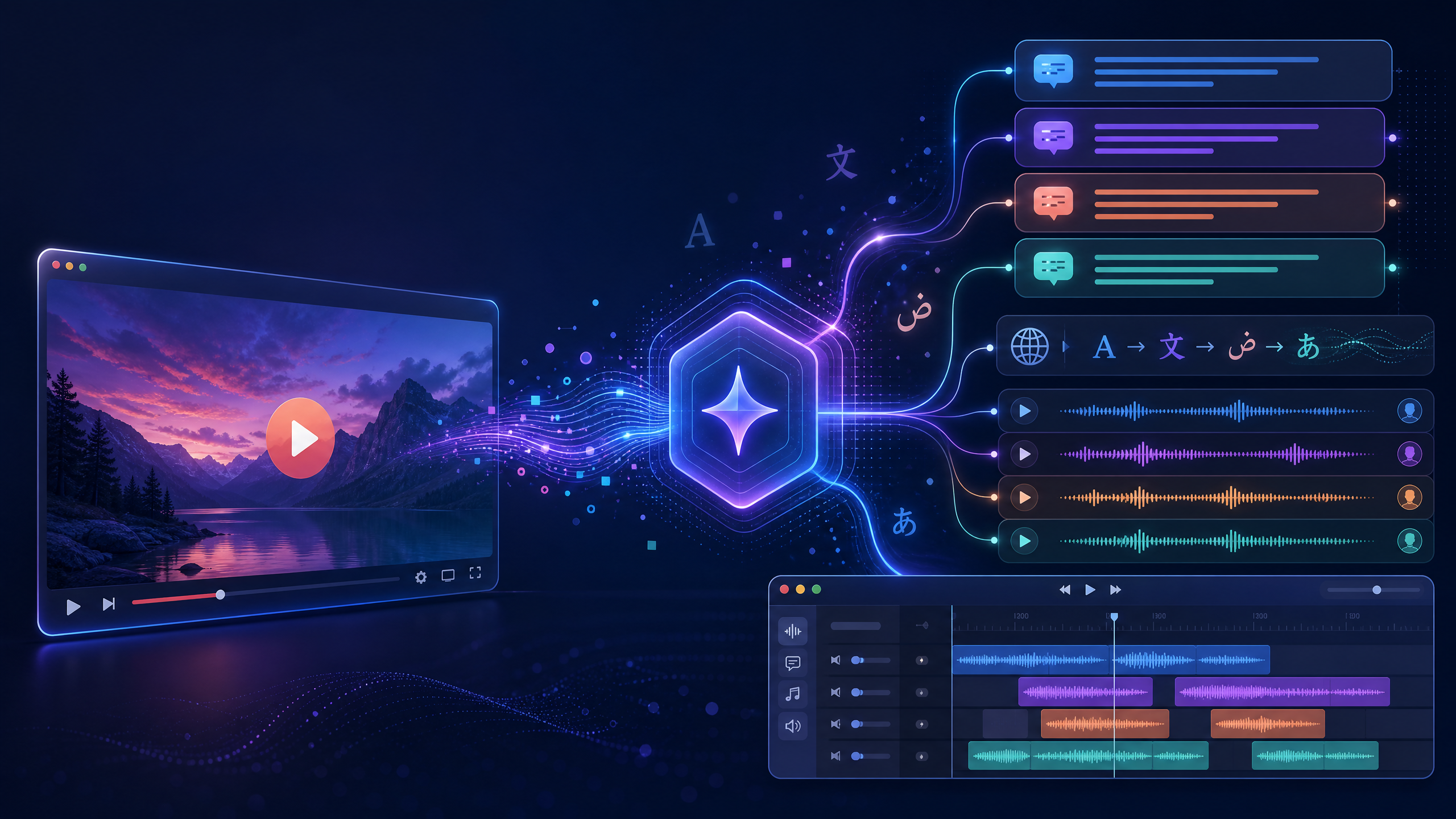
For users watching foreign tutorial, interview, or educational videos, subtitles serve as the first threshold to comprehension. When a video lacks subtitles or when available subtitles are in an unfamiliar language, cross-lingual viewing becomes difficult. The YouTube subtitle feature in Scribis does not download and re-process videos; instead, it embeds YouTube via iframe so that real-time transcription follows the playing audio while passively capturing timedtext only when YouTube provides it.
When a video has no timedtext subtitles at all, the Gemini API serves as a fallback content understanding path. By sending a public YouTube URL to Gemini, the API processes video speech and visuals to generate a draft subtitle, which is then translated by Scribis and output as multilingual speech using local Text-to-Speech (TTS).
In short: Scribis does not download YouTube audio/video nor export media or subtitle files in this workflow. It captures available subtitles during playback, performs real-time transcription and translation, and delivers multilingual voice output via local TTS for inline listening.
Clarifying First: This Is Not a YouTube Downloader
Understanding this architecture requires separating "playback", "subtitle capture", and "video downloading". Scribis embeds the YouTube player via iframe; during playback, the system synchronously taps into the playing audio stream to supply the real-time transcription pipeline. This process does not download full audio files to local disk, nor does it save YouTube videos as files.
Similarly, timedtext is a text and timestamp data source, not an audio track. Scribis passively captures timedtext only when YouTube makes it available; if no subtitles exist on the video, Scribis will not send active subtitle requests to YouTube. Even though Scribis offers yt-dlp support in other contexts, the YouTube subtitle workflow described here does not use yt-dlp to download video, audio, or subtitle files.
| Component | Role in This Workflow | What It Does NOT Mean |
|---|---|---|
| YouTube iframe | Embeds and plays videos inside Scribis | Does not mean downloading video files or saving media |
| Playing Audio | Supplies listening input for real-time transcription | Does not mean exporting standalone audio files |
timedtext |
Serves as subtitle text & timing source when provided by YouTube | Does not mean reading or downloading audio streams |
| Gemini API | Understands public YouTube videos & generates subtitle drafts when subtitles are missing | Does not mean fetching native YouTube subtitles or granting reproduction rights |
| Local TTS | Converts translated subtitles into multilingual audio for direct listening inside Scribis | Does not mean generating standalone dubbing files or re-publishing videos |
Scribis Actual Workflow

Figure: Scribis YouTube subtitle and multilingual voice workflow (does not include downloading or file exports).
The workflow splits into two subtitle source paths. The standard path operates when a user plays a YouTube video via iframe in Scribis; playing audio flows into real-time transcription. If YouTube also provides timedtext, Scribis passively captures the caption data for display and translation. The fallback path activates only when no timedtext is available: Scribis invokes the Gemini API using the public YouTube URL to analyze the video, obtain a draft transcript, and proceed to translation and voice synthesis.
This design prevents unnecessary API calls to Gemini for videos with existing captions and avoids confusing subtitle features with media downloading. Videos with native captions rely on YouTube's provided timedtext; Gemini is called only when captions are absent.
How Gemini API Processes YouTube URLs
Google's official documentation supports passing YouTube URLs directly into the Gemini API video input. Requests specify type: "video" with the full YouTube URL in uri, combined with text prompts asking for summaries, segment-by-segment content, timestamps, or subtitle drafts.
Official docs note that the YouTube URL feature is in pre-release, and pricing or rate limits may change over time. Therefore, long-term production usage in Scribis maintains flexibility regarding models, quotas, and API behavior updates.
Python Minimal Example
Install the Google GenAI Python SDK first:
pip install google-genai
Set your API key in environment variables. Avoid hardcoding API keys in frontend code, public repos, or client-accessible config files.
export GEMINI_API_KEY="YOUR_GEMINI_API_KEY"
The example below demonstrates generating a subtitle draft when no captions are available:
from google import genai
import os

client = genai.Client(api_key=os.environ["GEMINI_API_KEY"])

youtube_url = "https://www.youtube.com/watch?v=YOUR_VIDEO_ID"

prompt = """
Please analyze this public YouTube video and generate a draft transcript for subtitle editing.
Base your response strictly on confirmed speech and visual content from the video, formatted as follows:

1. Video Language and Content Overview
2. Segmented Subtitles: Each segment with start time, end time, and subtitle text
3. Key Events and Visuals with timestamps formatted as MM:SS
4. Proper Nouns, Brand Names, Products, Technical Terms, and original spellings
5. Unclear Segments: Explicitly label as "Needs Human Proofreading"

Subtitle Requirements:
- Maximum two lines per segment.
- Use natural, readable language.
- Do not hallucinate or guess unintelligible sentences.
- If timing cannot be determined reliably, mark as estimated.
"""

interaction = client.interactions.create(
    model="gemini-3.6-flash",
    input=[
        {"type": "video", "uri": youtube_url},
        {"type": "text", "text": prompt},
    ],
    store=False,
)

print(interaction.output_text)
The primary goal here is not replacing subtitle editors, but providing a solid starting draft when YouTube lacks native captions. type: "video" and uri specify the input video, while prompt rules dictate structure, timing, language, and uncertainty markers.
Setting store=False is an optional data management parameter. The Interactions API stores interactions by default; if state continuation via previous_interaction_id is unnecessary, state storage can be disabled. Note that setting store=False disables server-side state retention. Decide deployment settings according to data sensitivity, debugging requirements, and retention policies.
Why Specify Timestamps and Subtitle Formatting?
If you simply prompt "Summarize this video", Gemini may return a continuous summary paragraph poorly suited for subtitle timing. For seamless integration into Scribis, prompts should explicitly request short sentences, segment breakdowns, timestamps, terminology lists, and flags for low-confidence passages.
Google documentation supports MM:SS format for referencing specific moments in a video. For instance, when reviewing demonstration steps in a tutorial video:
Please analyze timestamps 02:15, 08:40, and 14:05.
For each timestamp output: topic being explained, key visual action, and the single best sentence for subtitle placement.
If speaker identity or on-screen text cannot be confirmed, mark as "Needs Human Proofreading".
Timestamps in generated drafts act as positional references rather than unverified final cuts. Scribis enables users to compare iframe playback against real-time transcription to refine sentence breaks, technical terms, numerical values, and reading rhythm.
How Gemini Subtitle Fallback Differs from timedtext
timedtext and Gemini API are distinct sources and should not be conflated. timedtext consists of pre-existing subtitle text and timing delivered directly by YouTube; when present, Scribis passively receives it without video inference. Gemini API is a multimodal video model: when no captions exist, it reads the public YouTube URL to analyze speech and visual frames, generating new text output.
Consequently, Gemini output is a newly generated caption draft rather than YouTube's original subtitle track. Human review remains essential as models may mishear proper nouns, miss fast speech, misattribute speakers, or misread on-screen graphics.
Google notes that default visual sampling for Gemini occurs at 1 frame per second; rapid action or fast scene cuts may omit details. For gaming clips, software walk-throughs, or slide presentations, key segments should be inspected manually rather than relying on unedited drafts.
From Subtitles to Multilingual TTS: Scribis Use Cases
Once subtitle sources are established, the downstream workflow in Scribis remains consistent. Native timedtext is used when available; otherwise, Gemini generates initial subtitle drafts for proofreading. Both paths feed into the same translation and speech synthesis pipeline.
- Proofread Source Subtitles: Verify proper names, brands, numbers, technical terms, and sentence breaks. Resolve all passages flagged for manual review.
- Translate Subtitles: Maintain timestamp synchronization and maintain consistent glossary translations across segments. Adjust sentence lengths for target languages to fit reading speeds.
- Local Multilingual TTS: Scribis passes translated text to local TTS engines for real-time multilingual audio synthesis, allowing users to listen directly during video playback. The emphasis is on live listening experience rather than exporting audio files or re-packaging videos.
| Phase | Content Source | User Deliverable |
|---|---|---|
| With Captions | timedtext passively supplied by YouTube |
Editable, translatable subtitle text inside Scribis |
| Without Captions | Gemini video understanding via YouTube URL | Reviewable subtitle drafts, summaries, and time markers |
| Translation | Proofread source subtitles | Synchronized target-language subtitles |
| Local TTS | Translated subtitle text | Multilingual audio playback inside Scribis |
YouTube URL Constraints and Practical Trade-offs
Google documentation highlights key operational constraints: YouTube URL input is currently in pre-release; free tier usage allows up to 8 hours of YouTube video processing per day, while paid tiers have no video duration limit; Gemini models prior to version 2.5 process one video per request, whereas Gemini 2.5+ supports up to 10 videos per request; and only public YouTube videos can be processed (private or unlisted videos are unsupported).
These constraints inform product design: videos with existing timedtext bypass Gemini entirely, conserving API quota for videos truly lacking captions. For long-duration content or iterative querying, monitor official documentation updates regarding feature state and rate limits.
Frequently Asked Questions
| Question | Accurate Understanding | Recommended Framing |
|---|---|---|
| Does Scribis download YouTube videos? | No. The workflow operates via iframe playback without downloading video files. | Describe as inline playback, real-time transcription, and subtitle processing. |
| Does Scribis download or export YouTube audio? | No. Transcription runs against active audio playback rather than saved audio files. | Describe as "real-time transcription during playback". |
| Does Scribis actively request timedtext? | No. It passively captures timedtext only when YouTube provides it. |
Fall back to Gemini video understanding when subtitles are absent. |
| Does Gemini fetch native YouTube captions? | No. In captionless scenarios, Gemini generates new draft subtitles based on video content. | Refer to "generated subtitle draft / content generation". |
| Can Gemini subtitle drafts be published directly? | Drafts require human proofreading before publication. | Inspect time markers, terms, numbers, speaker tags, and translation quality. |
| Does Local TTS export dubbing audio files? | No. It provides live multilingual speech synthesis during playback. | Highlight inline listening features for cross-lingual viewing. |
| Can API keys be embedded in frontend code? | No. Google guidelines require securing keys outside client-side bundles. | Store keys in environment variables or protected server/local execution environments. |
Conclusion: Subtitle Availability Determines Gemini Invocation
The core principle behind YouTube subtitle handling in Scribis is obtaining accessible text right when users watch a video. The iframe player syncs live playback audio with transcription, while Scribis passively listens for YouTube timedtext. When captions exist, native timing data is used; when absent, the Gemini API generates subtitle drafts from the public YouTube URL.
This layered architecture maintains clarity: it avoids treating subtitle tools as video downloaders, avoids unneeded API requests when timedtext is absent, and leverages Gemini where content understanding is genuinely needed. Refined and translated captions are then synthesized by local TTS, empowering users with seamless multilingual video viewing.
Key takeaway: Scribis enables YouTube caption access during playback—passively receiving
timedtextwhen available, generating Gemini subtitle drafts when missing, and outputting multilingual local TTS for immediate listening.