ASR Keeps Getting Names and Proper Nouns Wrong? Make Corrections Repeatable
ASR often mishears names, product terms, and mixed-language phrases. Use a vocabulary list, short sample tests, and precise dictionary rules to reduce repeated edits and avoid overcorrection.
ASR Keeps Getting Names and Proper Nouns Wrong? Make Corrections Repeatable
Most of a transcript may be easy to understand, while names, brands, model numbers, or team-specific acronyms keep coming out wrong. You fix one transcript, then have to make the same correction in the next recording. It is tempting to assume that switching to a larger model will solve the problem.
Proper-noun errors are not always about model size. A term may be rare in the training data, sound like a common word, or mean different things to different teams. Turning recurring terms into a workflow you can test and maintain is usually more effective than switching models blindly.
Keep a concise list of important terms
Start with recurring errors from recent transcripts and record four things:
| Spoken term | Preferred spelling | Common ASR output | Context |
|---|---|---|---|
| Pronunciation of a product or name | Official spelling | Text ASR often outputs | For example, a product-spec discussion |
| English acronym | Preferred capitalization | Split into ordinary words | For example, a deployment meeting |
Include only terms that matter and recur. A long list of unfamiliar terms is harder to maintain and makes it difficult to tell whether a setting helped. If two names sound alike, record their context too; pronunciation alone may not distinguish them.
Test a short sample before adding a rule
Choose a short section from a real recording, including the full sentence around the term. Run it once with the same language and model settings, note where the error occurs, then try adding a small number of terminology hints. Compare the results: did the preferred spelling appear more often, and did the change affect any other sentences?
A prompt can provide topic and vocabulary hints, but it cannot guarantee that the model will use a specific spelling. If the recording is unclear or several names sound alike, check the audio.
Use a dictionary for consistent, recurring errors
If ASR repeatedly turns the same phrase into the same incorrect text, Scribis's standard dictionary lets you set a key and value to replace it with the preferred wording. Use a specific phrase with little ambiguity, then test it in a sentence with surrounding context.
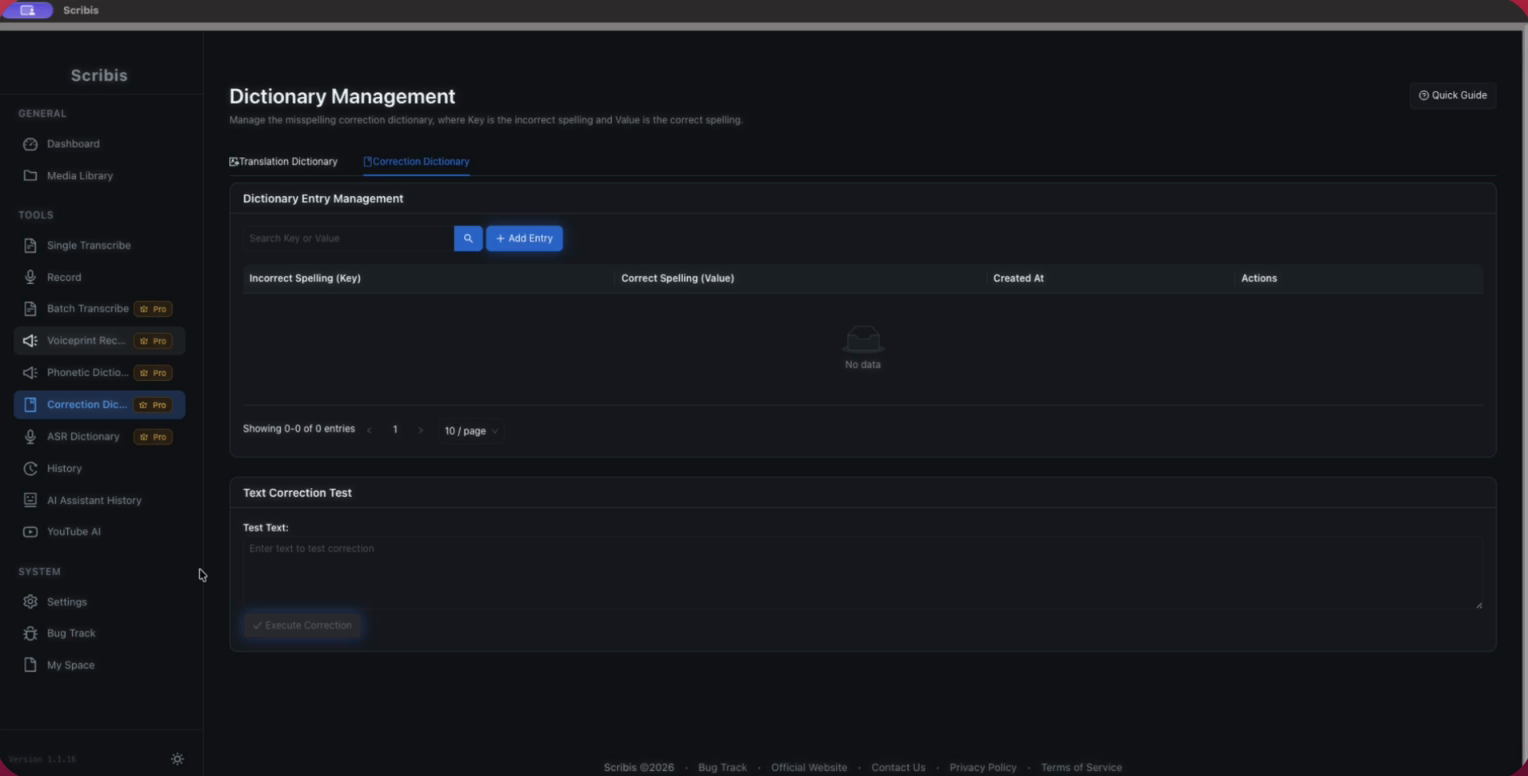
For example, if your team always spells a product name as “North Star,” set a recurring incorrect recognition as the key and the preferred spelling as the value. Avoid short rules that could appear in ordinary sentences; they may replace unrelated text.
The Scribis dictionary and pronunciation dictionary guide shows the standard dictionary settings and how to test them. The standard dictionary changes text; the pronunciation dictionary sets how text is pronounced. They serve different purposes.
When should you avoid relying on replacement rules?
Listen to the original audio instead of relying on a fixed replacement in these cases:
- The same pronunciation could refer to different people or products.
- The error varies, and the model outputs different text depending on context.
- The name appears only briefly, or the recording is unclear or covered by other voices.
- Dates, prices, and serial numbers need to be exact.
- A replacement would make the sentence read smoothly but could change its meaning.
When proofreading, play the full sentence around the term rather than reading only the recognized text. If you cannot hear it clearly, mark it for review and keep the audio timestamp so the next reviewer can find it quickly.
Build corrections into a shared reference
After proofreading, add confirmed spellings and recurring errors to the list, along with the project or context where each rule applies. Review outdated product names and possible collisions regularly, then retest with a representative short recording.
A dictionary cannot make any recognition model completely accurate, but it can centralize known, repeatable corrections. When a new error appears, first decide whether it came from the recording, language settings, model, or spelling rule, then address that cause.